
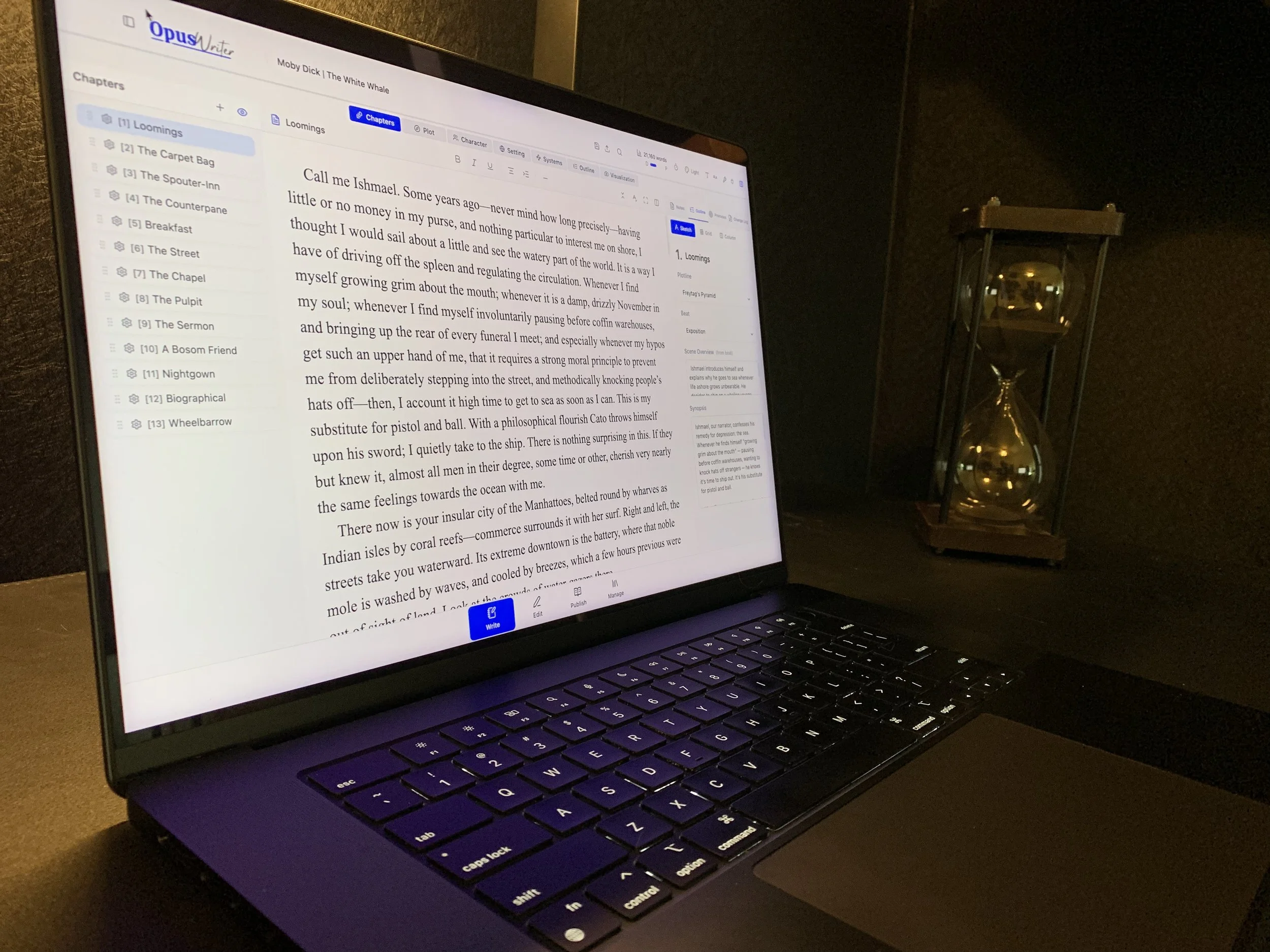
The Complete Writing Studio for Novelists!
Plot, write, edit, and format in a single app
Get Early Access to the Beta
Private beta • Limited spots • Beta testers lock in 50% off at launch
Your novel shouldn't live in five different apps.
Most of us writers draft in one piece of software. Plot in another. Edit with a plugin that requires a subscription. Have ideas in a note-taking app. Track details in a spreadsheet. And when we finally get ready to publish and it’s time to format … export it to yet another piece of software.
They're good tools. But they don't talk to each other, and eventually it’s hard to know which app has which version.
OpusWriter: from first idea to published masterpiece.

Where ideas become stories
Plotter or pantser or somewhere in between, your way works here. You can build your world, and track every character, location, and plot thread without leaving the page. Or ignore all that and let inspiration carry you away with tools that capture your decisions as you make them with no planning required.
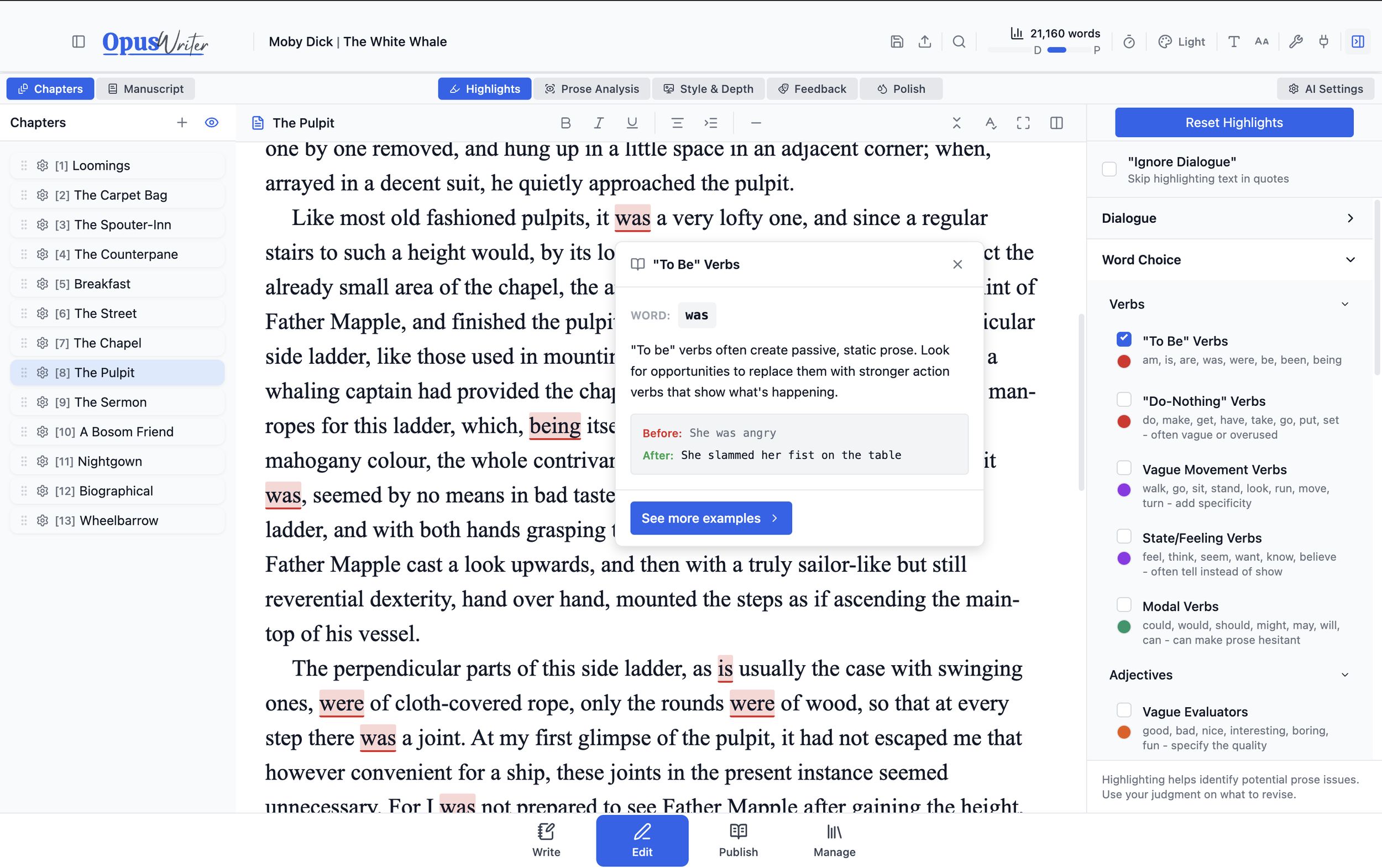
Where stories become manuscripts
Spot weak verbs, overused words, pacing problems, and clichés at a glance. Optional AI feedback when you want a second opinion—turned off (by default) when you don't.
Where manuscripts become novels
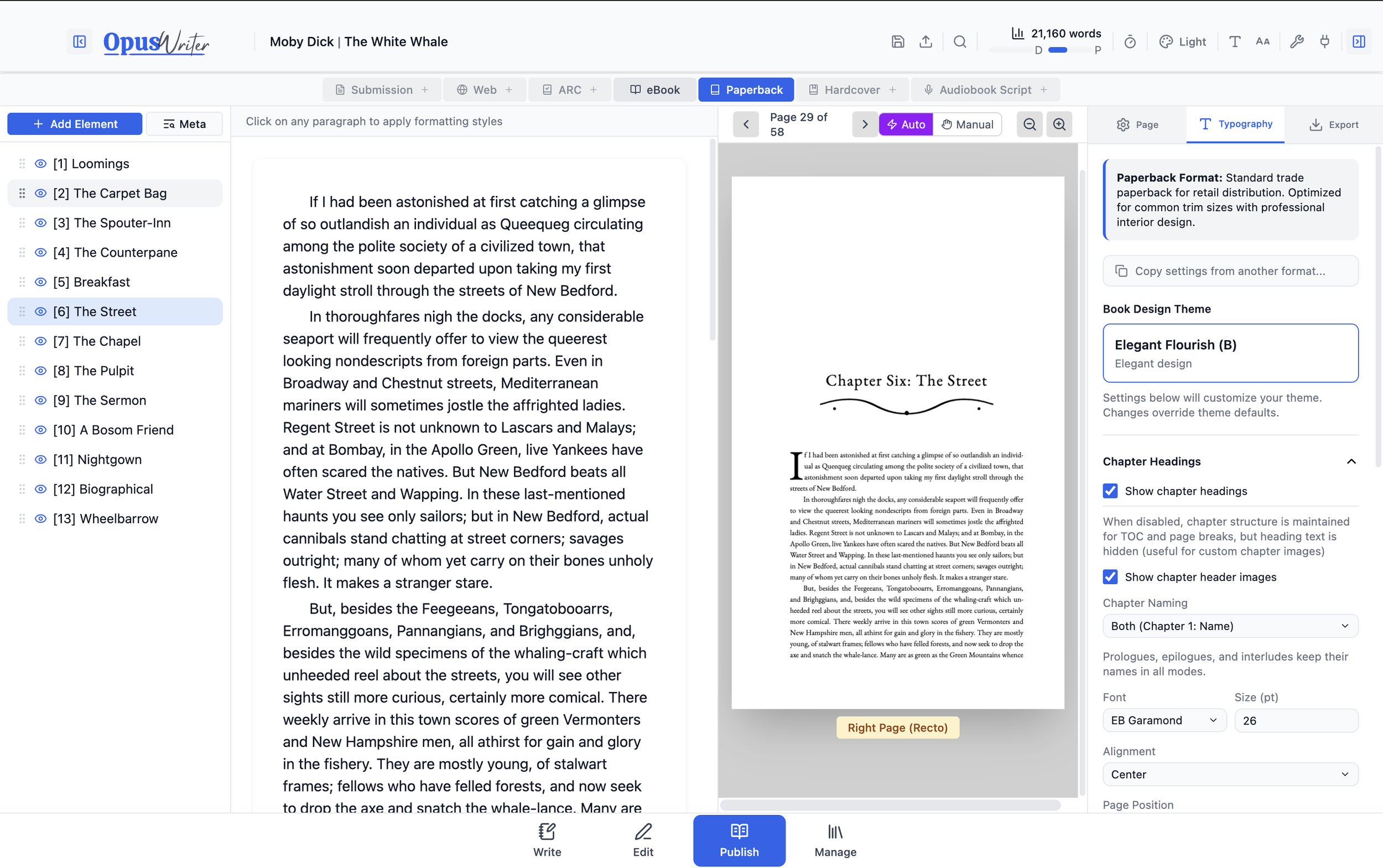
Choose from over 30 templates or start from scratch to prepare your manuscript for sending to agents, publishing on the web, or creating professional looking eBooks, and print-ready paperback and hardcover interiors.
Where novels become sagas
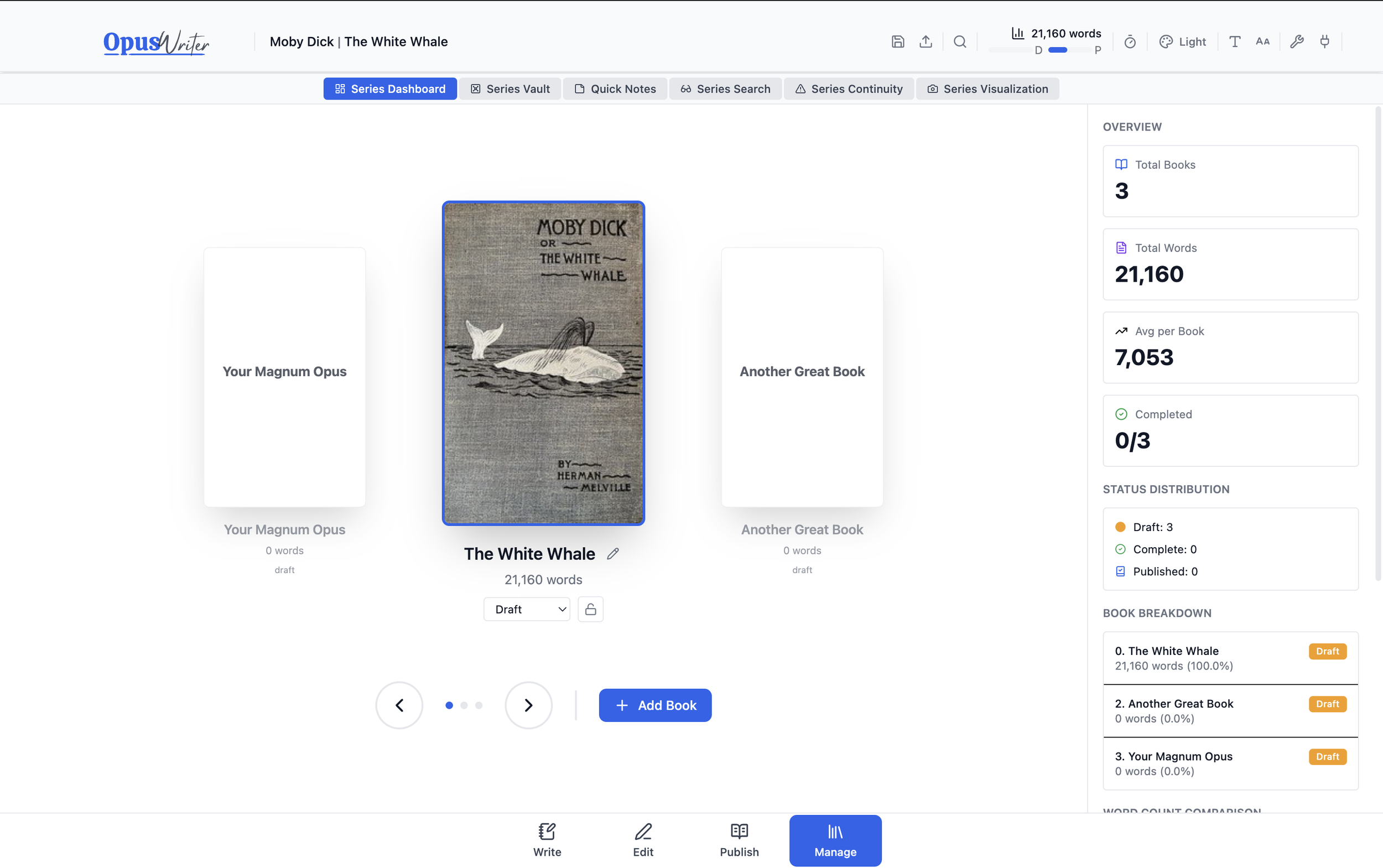
Track continuity across your entire series—search every book at once, catch contradictions, and never lose a planted seed.
Beta slots are limited. Get in early:
Help shape the tool, and lock in 50% off when we launch.
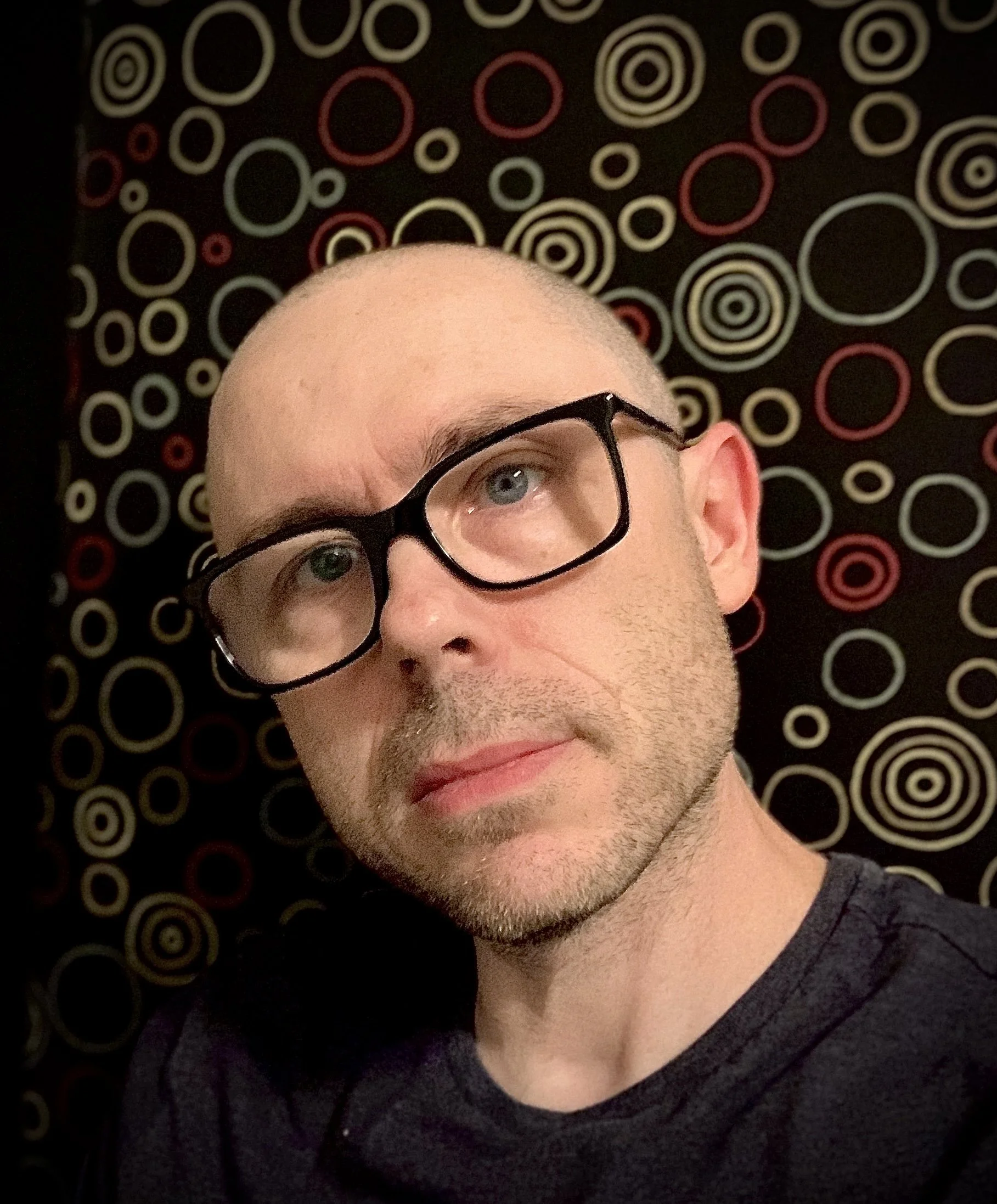
About the creator
I've been writing fiction for about two decades: everything from paranormal tabletop RPG adventures, and short horror stories, to steampunk novellas, and epic fantasy novels. Right now I'm in the middle of a four book sci-fi series, juggling timelines, world-building, character arcs, and way too many invented words.
I’m not a “natural.” Most of what I’ve written is trash. Just unreadable, unmitigated disasters. But I kept learning and hey, my last novel even won a small award. But the biggest thing I learned is that writing is hard. And the longer a work gets—the more characters, subplots, and subtle themes you're managing—the harder it gets to keep track of it all, stay true to your vision, and maintain continuity.
For years I searched for tools to help me manage these struggles. Scrivener for drafting. Plottr for beat sheets. Aeon Timeline for umm…timelines. ProWritingAid for editing. Vellum for formatting. A mess of spreadsheets holding it all together.
These are all great tools. But every time I switched between them, something got lost in translation. And when I'd make changes late in the process—do I correct all the versions? Just Vellum? Which file has the latest version? I kept ending up with different snapshots of the same story scattered across multiple apps.
I kept thinking: “Why can’t this all be connected?”
I tried out just about every writing software out there, hoping someone would build my dream writing app. One that handled plotting, drafting, editing, and publishing in one integrated ecosystem. One that tracked series continuity without a separate spreadsheet. One that worked for how I actually write.
Nobody built it. So I did.
But I’m not building it just for me. I'm building this for writers like you too. Want to help me get it right?
Help me build the app we've all been waiting for.
Private beta begins mid January.
This beta is best suited for novelists actively drafting, revising, or planning a long-form project or series.